Tests
Excluding resources per test
Use a per-test exclusion when a resource remains in scope but a particular requirement does not apply or has an approved exception. Its original evidence remains visible for review.
For help choosing between resource-level and per-test exclusions, see Resource exclusions.
Exclude a resource
Super Users can exclude resources from a supported test's evidence table.
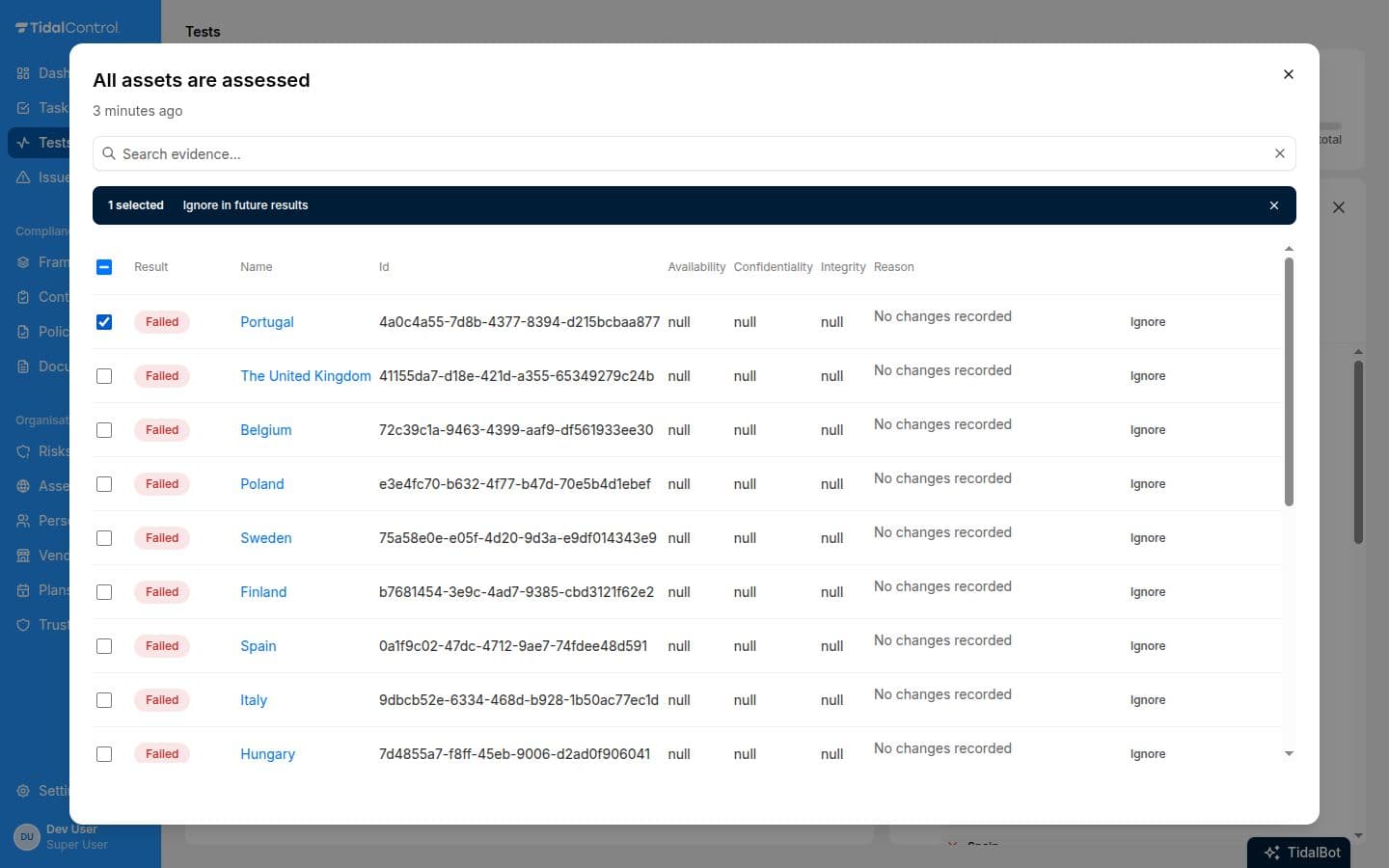
- Open the test and select View evidence beside its last result.
- Choose Ignore beside a resource, or select resources and choose Ignore in future results.
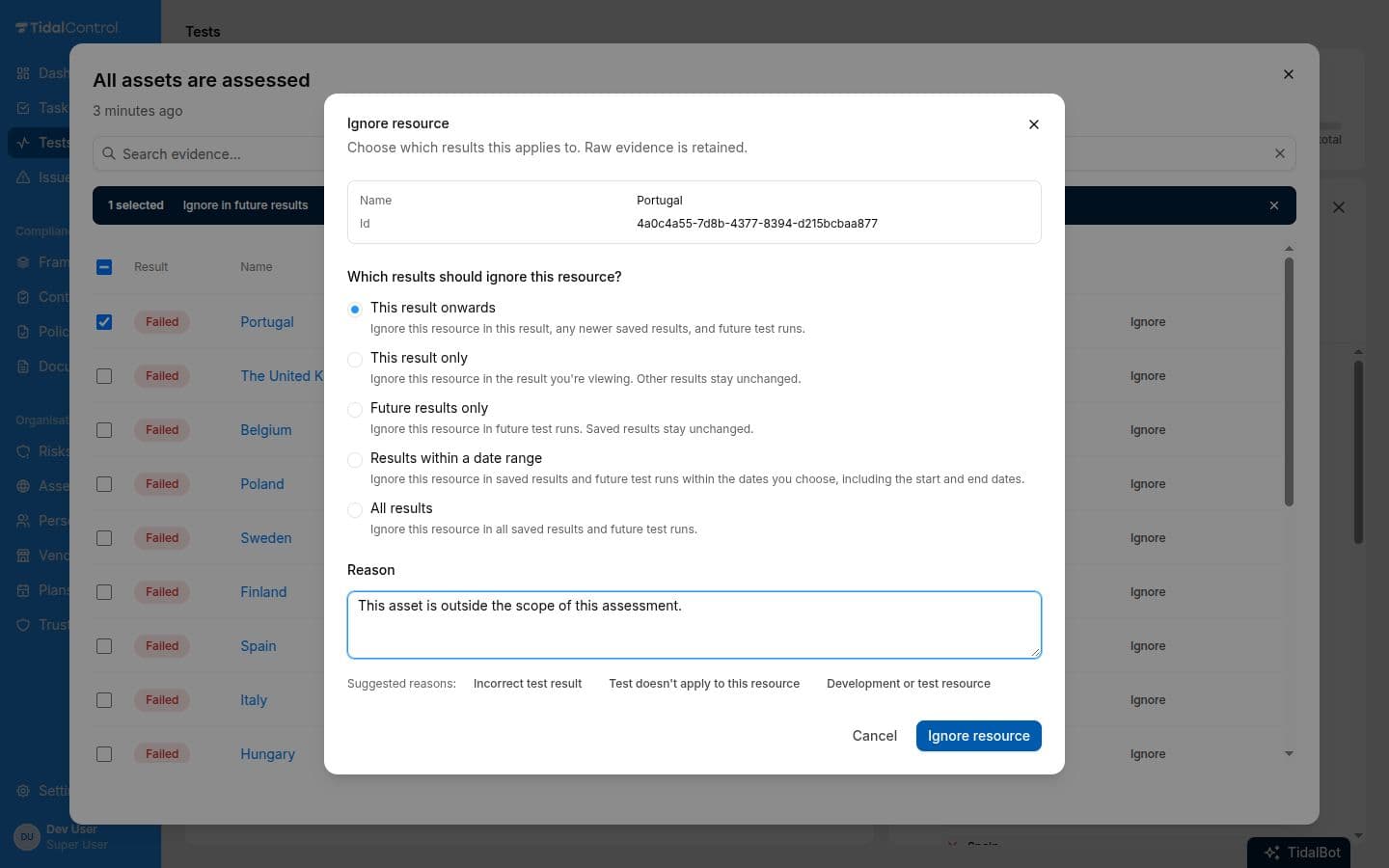
- Choose which results the exclusion applies to and enter a reason that explains why the requirement does not apply or which agreed exception covers the resource.
Choose which results change
You choose whether to adjust saved results, ignore the resource in future runs, or apply the decision across a selected period.
| Option | Effect |
|---|---|
| Future results only | Ignores the resource in future runs. Saved results stay unchanged. |
| This result onwards | Adjusts this result and newer saved results, and ignores the resource in future runs. |
| This result only | Adjusts the result you are viewing. Other results stay unchanged. |
| All results | Adjusts all saved results and ignores the resource in future runs. |
| Results within a date range | Applies to saved results and future runs within the chosen dates, including both the start and end date. |
Exclusions apply to individual resources within this test. The test continues checking the remaining resources. A technical Error cannot be changed to Passed by excluding a resource, and some tests still require at least one included resource to pass.
Stop ignoring a resource
For a temporary exception, set an end date. You can also stop ignoring a resource before that date from the test's Ignored resources tab. It will count towards subsequent test results again.
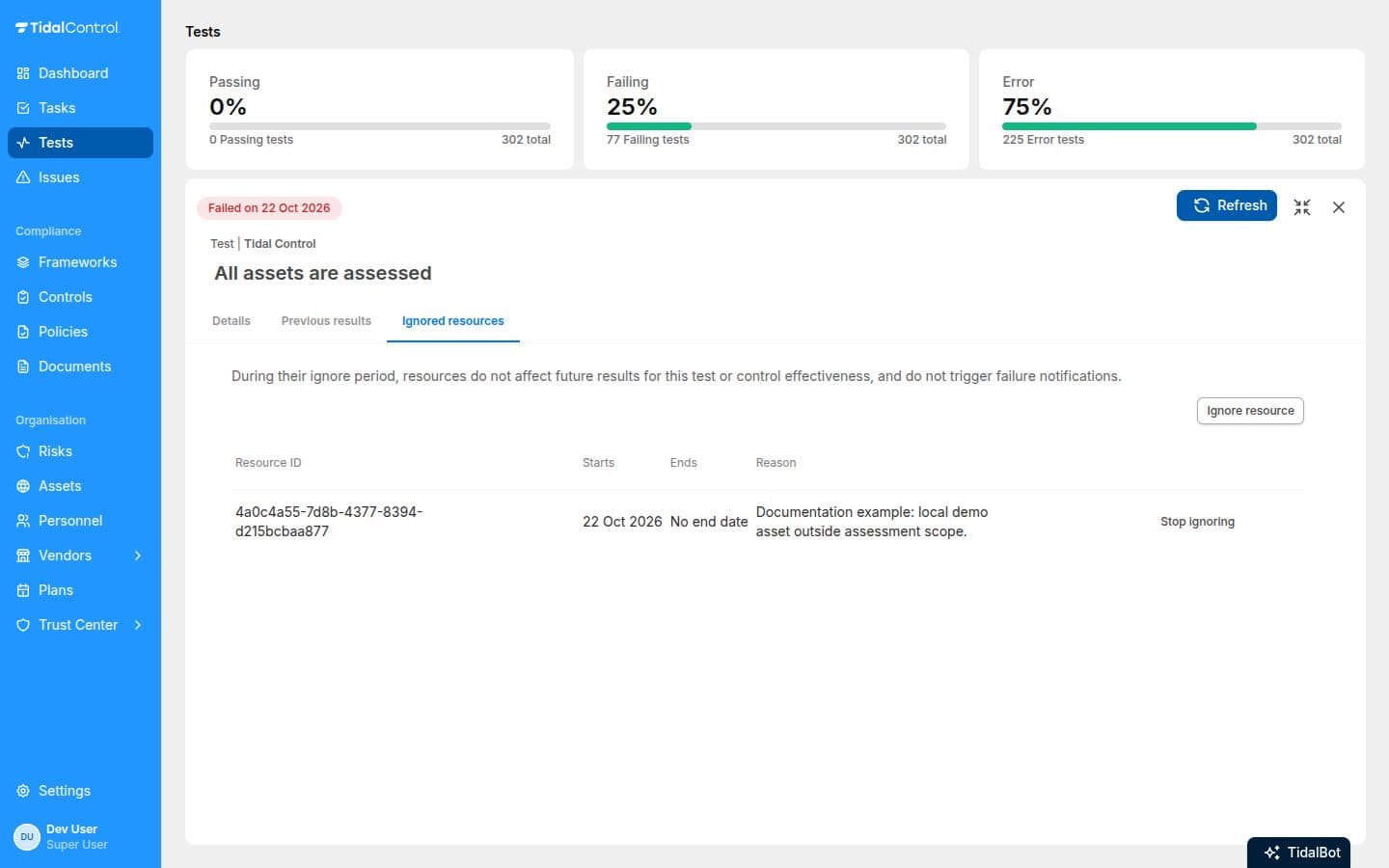
Stopping a rule for future runs leaves saved results unchanged. To include the resource in a saved result, use Include in that result's evidence table. The original evidence and decision history remain available for review.